AI Text Effects
Turn any text into wood, marble, gold or roses in one tap, with dozens of ready AI effects.
Try it now for freeWhat is this feature?
Andalusi's text effects turn any text you write into a ready material or style with AI: wood, marble, gold, bronze, iron, roses and dozens more. Type your text, open the effects list, and pick the one that suits your design. It applies instantly and keeps Arabic letterforms correctly joined. Ideal for post headlines, logos and any design that needs a strong visual touch, with no design experience required.
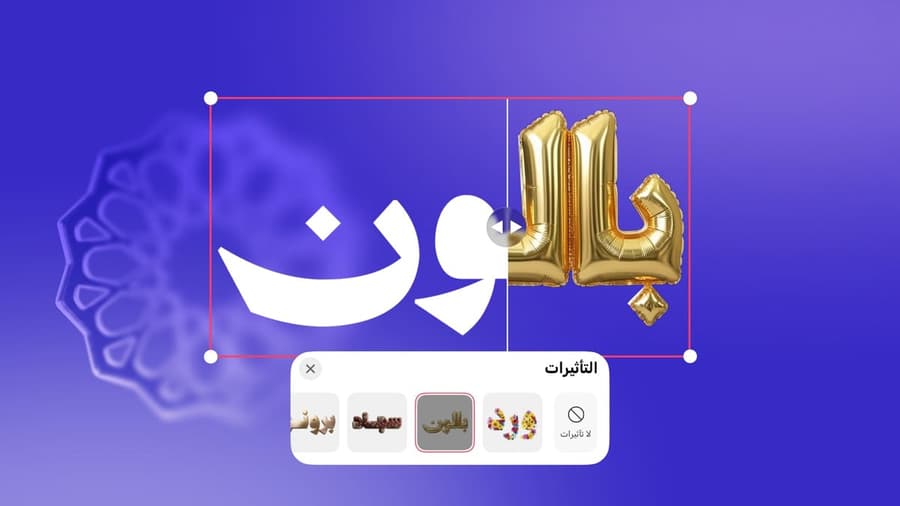
Andalusi's text effects turn any text you write into a ready material or style with AI: wood, marble, gold, bronze, iron, roses and dozens more. Type your text, open the effects list, and pick the one that suits your design. It applies instantly and keeps Arabic letterforms correctly joined. Ideal for post headlines, logos and any design that needs a strong visual touch, with no design experience required.
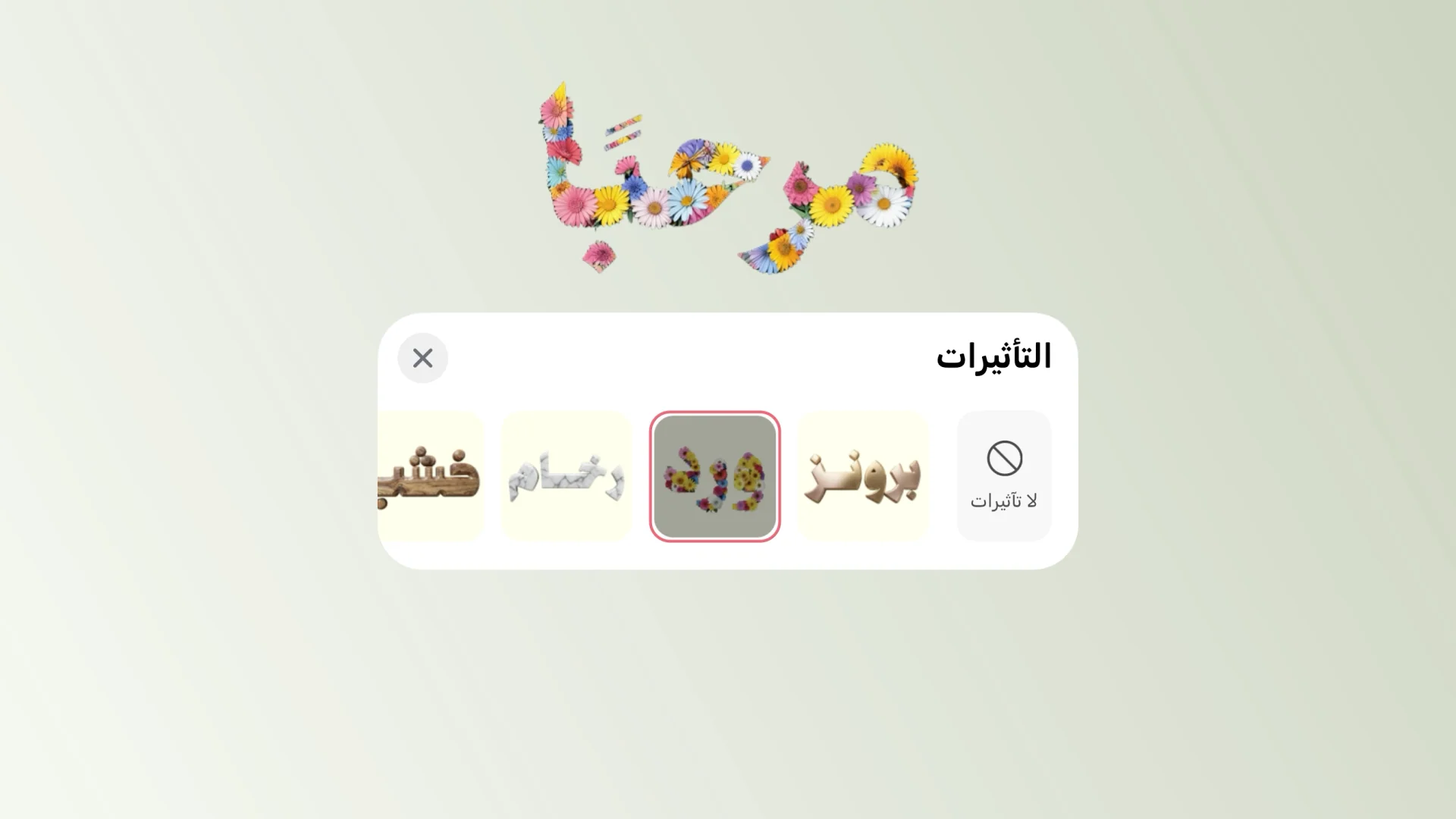
Dozens of ready effects
From roses and wood to marble and bronze, browse the library and pick the effect that suits your design.
AI text effects in Andalusi
When to use it
Headlines that stand out
Put a gold or marble effect on your post headline so it stops the scroll.
Logos and brand names
Give your brand name a distinctive feel with a wood or metal effect that matches its identity.
Greetings and invitations with an artistic touch
Turn a greeting into a roses or gold effect for a standout occasion card or invitation.
Try several effects quickly
Run dozens of effects on the same text and pick the right one before you export.
Simple steps
How to use it
- 1
Write your text
Open Andalusi, start a new design, then type the text you want to transform.
- 2
Open the effects list
Select the text and open the effects list to browse dozens of ready materials and styles.
- 3
Pick an effect and export
Choose the effect that suits your design. It applies instantly, then export the result.
Frequently asked questions
How do I add an effect to text in Andalusi?
Can I make 3D text?
Do the effects work with Arabic text?
How many effects are available?
Can I undo or change an effect?
Are text effects free?
Download Andalusi for free
Over a million designers use Andalusi. Join them and start designing now.