January 18, 2026
AI Background Removal for Photos
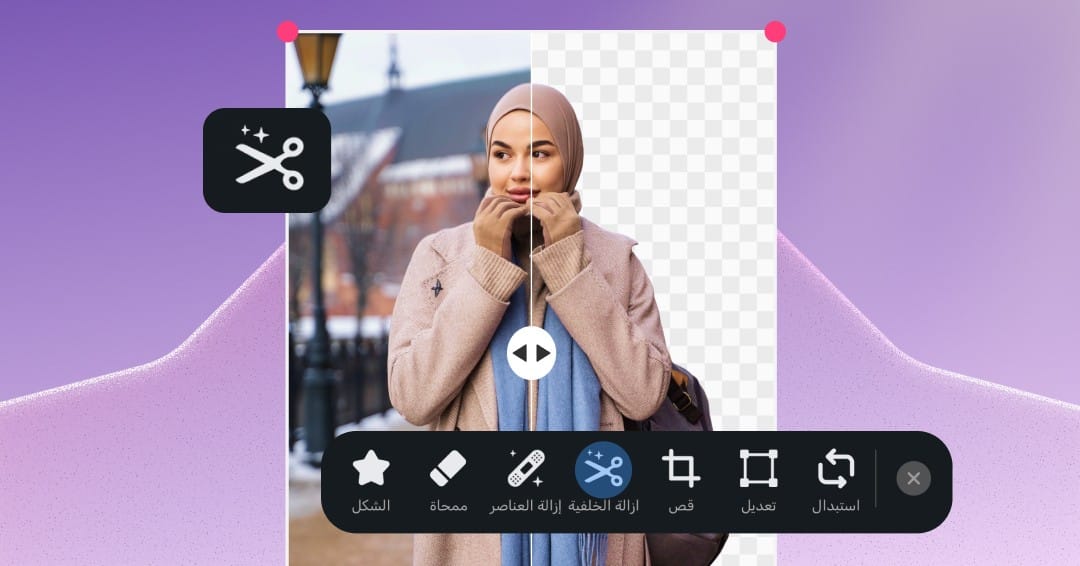
✂️ AI background removal in Andalusi
Removing the background from an image has become an essential step in modern design — whether you're building professional layouts, product shots, or eye-catching social media posts.
With Andalusi you can now remove the background from PNG and JPG images and make them fully transparent using AI, in a single tap.
🎯 What is the background removal feature?
Background removal in Andalusi is powered by advanced AI that recognizes the main subject in your image (a person, a product, or an object) and separates it precisely from the background, turning the photo into a transparent cutout that's ready to drop into any design.
⚡ How does background removal work in Andalusi?
Open a PNG or JPG image in the Andalusi editor.
Select the background removal tool.
Within seconds, the main subject is isolated and the background turns transparent automatically.
From there you can:
Use the image with its transparent background.
Add a new background or a custom color.
Blend the subject into any other template or design.
🎨 When should you use background removal?
Creating product images with transparent backgrounds for e-commerce.
Producing professional posts for social media.
Designing invitations, stickers, and posters.
Placing people or objects onto new backgrounds with ease.
Designing a profile picture for your social accounts
⭐ What makes background removal in Andalusi special?
Supports both PNG and JPG images.
Turns your photo into a high-precision transparent cutout.
Runs on AI — no manual cutting out.
Preserves strands of hair and fine edges.
Fast results, ready to use right away.
📱 Available now on iOS and Android
Background removal is available today inside the Andalusi app on iOS and Android.
Download the app and start using transparent-background images in your designs straight away.
🎥 See it in action
At the end of this article you'll find a video showing how to remove the background from PNG and JPG images and make them transparent with Andalusi, step by step.
✨ Andalusi — more design freedom with transparent backgrounds and professional results.