Restore & Colourise Old Photos
Colorize your old black and white photos and repair cracks and scratches, a full restoration in one tap with AI.
Try it now for freeWhat is this feature?
Andalusi's restore-old-photos feature brings your old family photos back to life with AI, it colorizes black and white photos with natural tones, repairs cracks, scratches and torn areas, and removes the yellowing and stains that come from damage over time. Add your old photo and wait a few moments for a clear, crisp version that looks freshly taken, with no design experience or external tools.
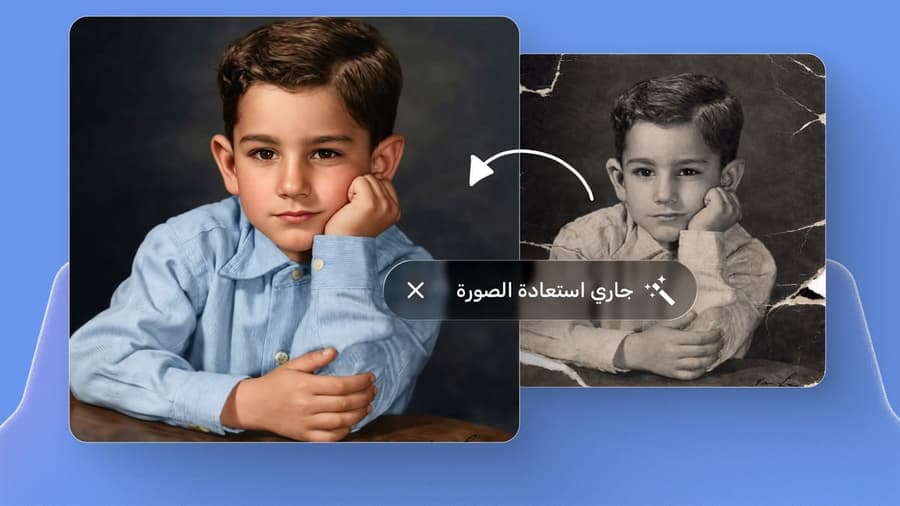
Andalusi's restore-old-photos feature brings your old family photos back to life with AI, it colorizes black and white photos with natural tones, repairs cracks, scratches and torn areas, and removes the yellowing and stains that come from damage over time. Add your old photo and wait a few moments for a clear, crisp version that looks freshly taken, with no design experience or external tools.
See the difference yourself
Drag the handle to compare before and after restoration

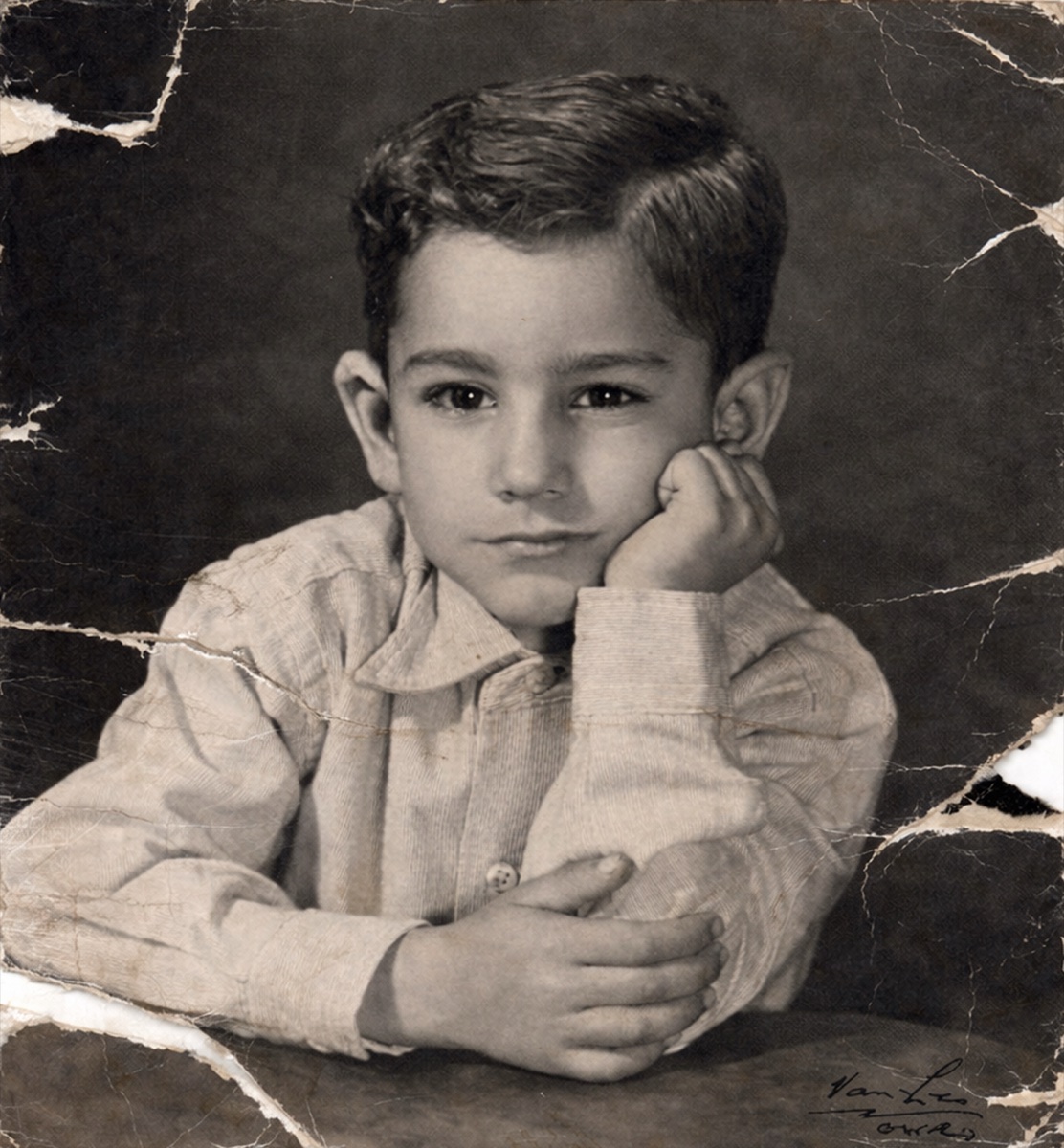

Family memories in fresh colour
Turn old children's and family photos into living memories with natural colours and clear detail.
Colourise old black-and-white photos in one tap
Colourise your old black-and-white photos in one tap, and get a clearer, crisper photo that looks freshly taken.
- Open the Andalusi app
- Go to the smart tools menu
- Choose the photo-restoration tool
- Add your photo
- Wait a few moments and AI gives you a clearer, crisper photo that looks freshly taken
When to use it
Family photos and old memories
Bring your grandparents' and parents' old photos back to life by colorizing them and repairing damage, so you keep them clear for generations to come.
Black-and-white photos to share
Colourise an old black-and-white photo to share at a family occasion or in a memorial post.
Repair torn and cracked photos
Remove cracks, scratches and torn areas from old photos damaged over time.
Better-quality digital archiving
Get a clear digital copy of your old printed photos before saving or reprinting them.
Simple steps
How to use it
- 1
Open the photo-restoration tool
Open the Andalusi app, go to the smart tools menu, then choose the photo-restoration tool.
- 2
Add your old photo
Upload the old photo you want to restore, black-and-white, or damaged with cracks and scratches.
- 3
Wait for the result
AI takes a few moments to return a clearer, crisper, colorized photo that looks freshly taken.
Frequently asked questions
How do I colorize an old black and white photo in Andalusi?
Can it fix a torn or cracked old photo?
What's the difference between restoring old photos and enhancing quality?
How long does restoring a photo take?
Is restoring old photos free in Andalusi?
Download Andalusi for free
Over a million designers use Andalusi. Join them and start designing now.