Photo Filters and Effects
Improve your photos with professional filters and effects, from a light touch up to a full transformation.
Try it now for freeWhat is this feature?
Andalusi's photo effects let you improve any picture with professional filters and advanced adjustment tools. Set the exposure, contrast and saturation, or apply a ready filter in one tap, from warm cinematic looks to deep black and white. Ideal for social media photos and professional content.

Andalusi's photo effects let you improve any picture with professional filters and advanced adjustment tools. Set the exposure, contrast and saturation, or apply a ready filter in one tap, from warm cinematic looks to deep black and white. Ideal for social media photos and professional content.
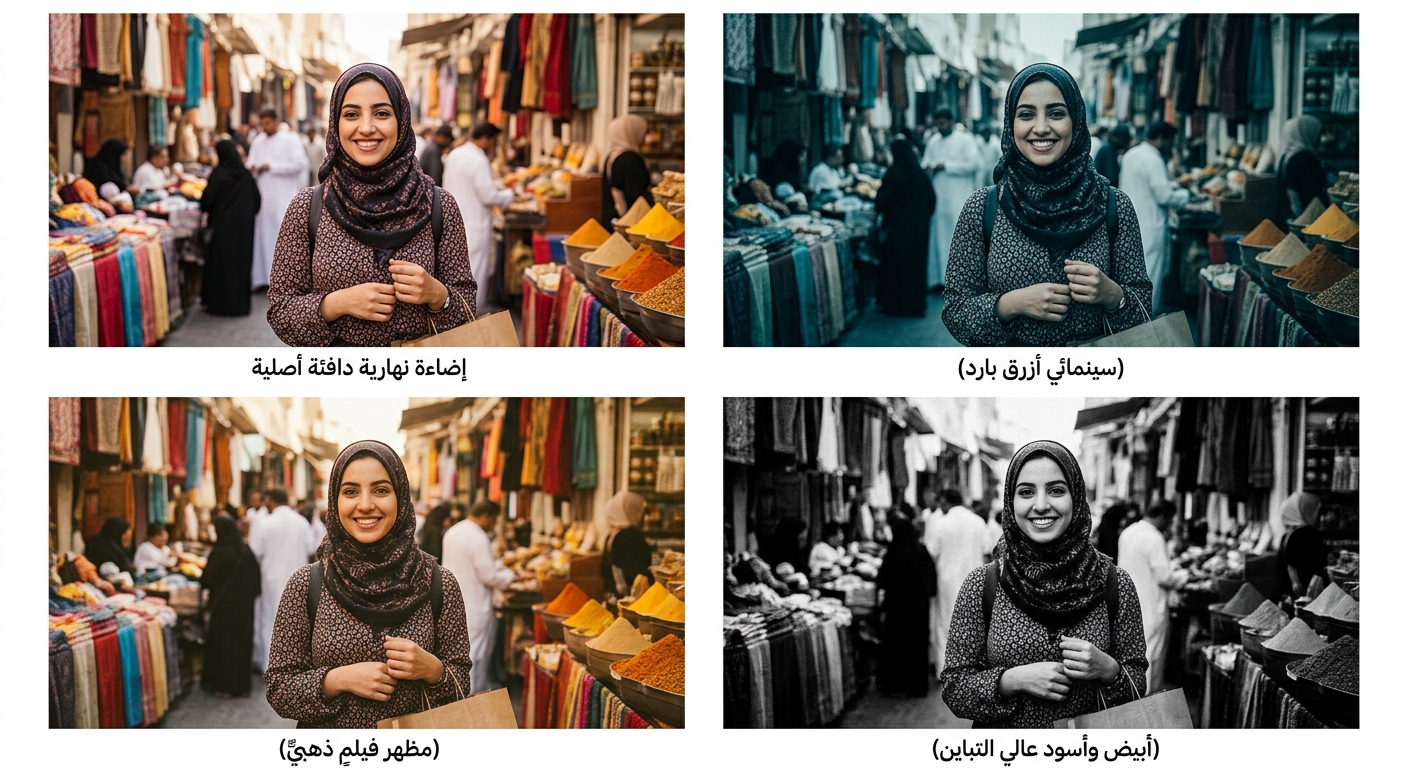
Cinematic filters in one tap
Warm, cool, cinematic and film looks. Apply one to your photo and dial its strength up or down until the mood is right.
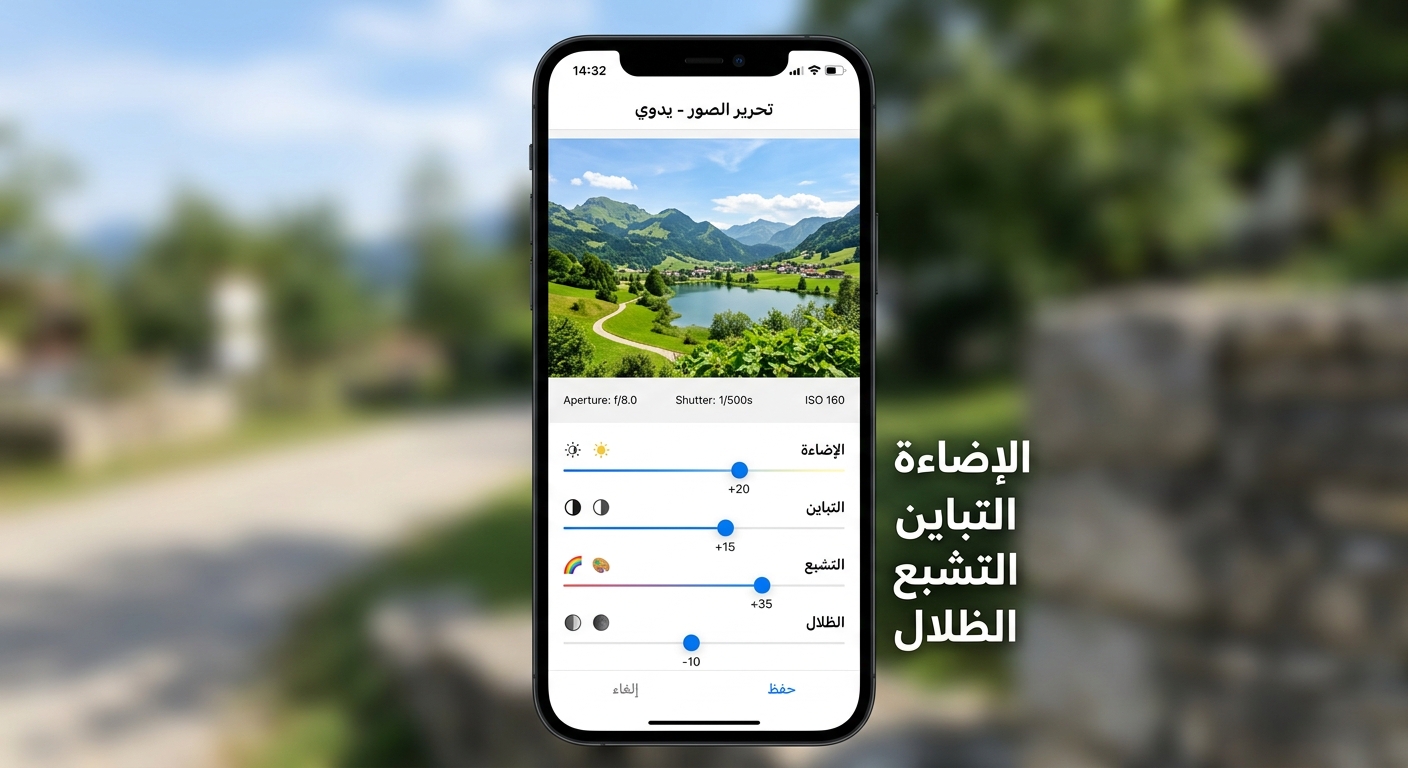
Precise control over light and color
Set exposure, contrast, saturation, shadows and highlights precisely to get exactly the photo you want.
When to use it
Social media photos
Apply one consistent filter across your photos for a coherent, professional Instagram profile.
Product photography
Improve your product shots by adjusting light and color for a professional finish.
Memories and personal photos
Give occasion and memory photos an aesthetic touch before you share them.
Simple steps
How to use it
- 1
Open the photo in Andalusi
Pick any photo from your library to apply effects to.
- 2
Choose a filter or adjust manually
Try the ready filters, or use the manual adjustment tools for full control.
- 3
Export at high quality
Export the improved photo at its original quality, ready to publish.
Frequently asked questions
What camera filters are available in Andalusi?
Can I adjust the filter strength?
Does Andalusi support RAW photo editing?
Can I save a custom filter to reuse later?
Are the photo filters free?
Download Andalusi for free
Over a million designers use Andalusi. Join them and start designing now.